Development

Custom web and mobile app development

Custom web and mobile applications, scoped in writing before anything is built. The first decision is whether the thing belongs in a browser or on a device — and it changes the cost more than any other.

Browser

Put it in a browser when the work happens at a desk

A web application is reached by a link, needs nothing installed, and updates for everyone the moment you push a change. For a first version it is almost always the cheaper route, and for anything with long typing in it, the more comfortable one.

It is the wrong choice when the software has to keep working with no signal, or when the job genuinely needs the device — the camera, the location, a notification that arrives when the app is closed.
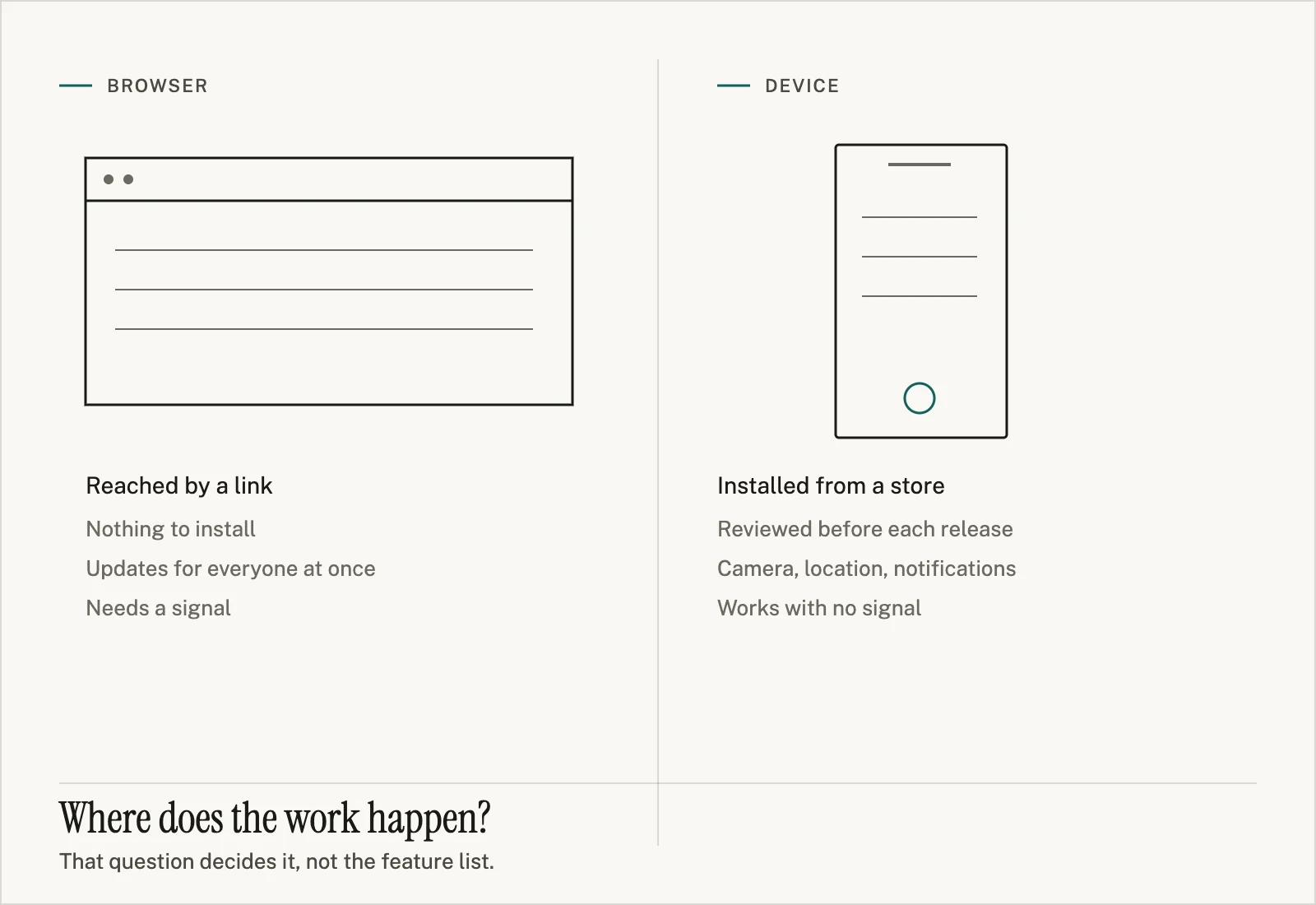
Two columns: a wide browser window labelled reached by a link, nothing to install, updates for everyone at once, needs a signal; and a narrow handset labelled installed from a store, reviewed before each release, camera and location and notifications, works with no signal. Beneath both: where does the work happen?
Device

Build for a device when the work happens away from one

A mobile application earns its extra cost when people are on a site, in a van or on a ward: offline working, the camera, GPS, notifications that reach someone not looking at a screen.

The costs it adds are real and mostly not code. It has to be installed, which means an app-store account and a review process you do not control; a change reaches only the people who update; and one codebase covering both platforms is possible but not free.

If both descriptions half-fit, that is the normal case, and it is what the first conversation is for.

Before we can quote

What we need from you, in plain words

01

The task being replaced

Not the software you imagine — the job that happens today. “Someone re-types delivery notes into the accounts system every Friday” is a better brief than three pages of requirements.

02

Who does it, and how often

One person monthly and forty people hourly are different pieces of software even when the task is identical. Volume and number of users drive more of the cost than features do.

03

What goes in and what comes out

The inputs someone starts with and the thing they have to produce at the end. Screenshots of the current spreadsheet are ideal; so is the paper form it replaced.

04

What “done” looks like

How you would know the software had worked. Without this, scope has no edge and every project grows until someone runs out of patience.

05

Anything it has to talk to

Accounting, payroll, a supplier portal, a device on a bench. Name the system, and say whether anyone has working credentials for it. Whether that access exists is the difference between an integration being a task and being a negotiation.

06

Whether something already exists

A half-finished build, an old system still running, a database nobody maintains. Say who built it and whether you have access to the code. Inheriting is not a problem; discovering it in week three is.

What you get before committing

Scoping produces a document, not a proposal

A proposal is an argument for hiring us. A scope is a description of the work that stays true whoever does it — which is why you can take it somewhere else.

  • A written scope What the software will do, in the order the work happens, in language you can check against your own process.
  • The route or screen list Every screen or page, so the size of the thing is visible rather than implied.
  • The open questions Named, with who has to answer each one. These are the decisions that would otherwise surface as delays.
  • A range, not a number With what sits at the low end and what pushes it to the high end, so the range means something.
  • What we would not build The parts we think are not worth their cost, and why.
Start with the task, not a spec

Cost drivers

What actually moves the figure

Roughly in the order they get underestimated. None of these is a price — they are the things worth knowing before you ask anyone for one.

Kinds of user

Every distinct role brings its own permissions, its own screens and its own edge cases. Going from one role to three is rarely three times the work, but it is never the same work.

Integrations

Each system it must talk to is a separate piece of work, with its own access problem, its own failure modes, and someone else's schedule attached to it.

Existing data

Migrating years of records that were entered by hand costs more than the software that reads them, because the cleaning is the job.

Working offline

Software that has to keep working with no signal needs a plan for what happens when two people change the same thing. This is a design problem, not a setting.

App-store review

For mobile, review adds calendar time you do not control, and rules that can require changes after the build is finished.

Who can approve things

Not technical at all, and it decides the timeline. One decision-maker who reads the scope is worth more than any tooling choice.

Describe the task. We will tell you web or mobile.

You do not need to have decided. That decision is the first thing scoping settles, and getting it wrong before you ask is the expensive mistake.